
Starter
현재 가격을 확인할 수 없어요
첫 번째 유료 고객을 위해
—고객 결제에 대한 ShotBreak 수수료
- 월 Smart Select 사진 수
- —
- 갤러리 저장 공간
- —
- 아카이브RAW, TIFF 및 PSD 파일
- —
- 사이트에 올리는 패키지
- —
- 직접 추가하는 촬영
- —
- 고객 예약금 3회 분할 결제ShotBreak Pay
- —
- 나만의 도메인
- —
- 나만의 Enhance 스타일
- —
- Enhance 인쇄 크기
- —
Weather briefings · US shoots
ShotBreak checks each outdoor shoot’s forecast from a week out, and finds a spot nearby in case it turns.
카드 없이 시작하고 언제든 취소할 수 있어요.

작동 방식
Checks start once your shoot is inside the seven-day forecast. Nothing is sent to you: the latest briefing is on the session whenever you open it.
Switch it off for an indoor shoot
Rain, how sure the forecast is, and whether it is getting better or worse. Plus the best window that day and what to pack.
Updated at every check
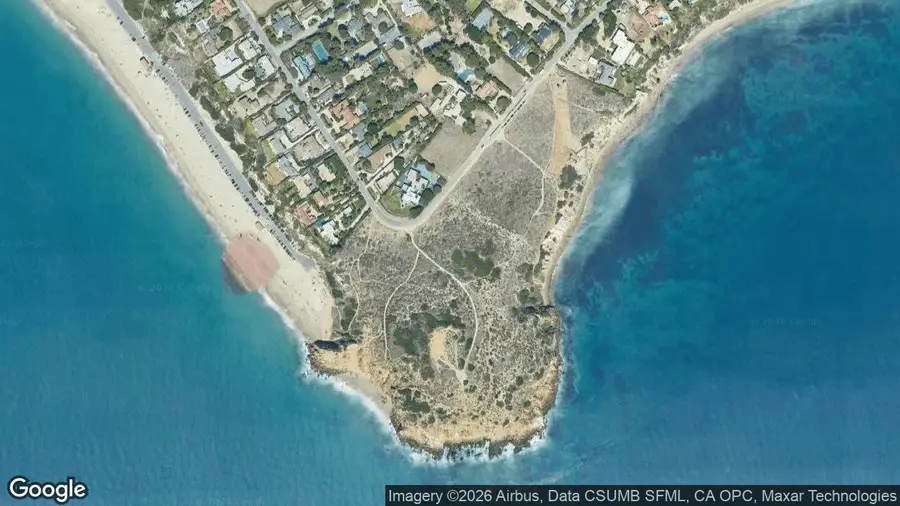
It looks for places near your location that could work instead, and scores each one for this shoot from what visitors say in Google reviews.
Swap the pick for any spot you prefer
See it working
The real ShotBreak opens right here, with a sample studio in it, and a voice walks you through it. No sign-up, nothing to install.
Where you see it
Your Today page shows each shoot’s rain chance, confidence and best window. Open the session for the full briefing.
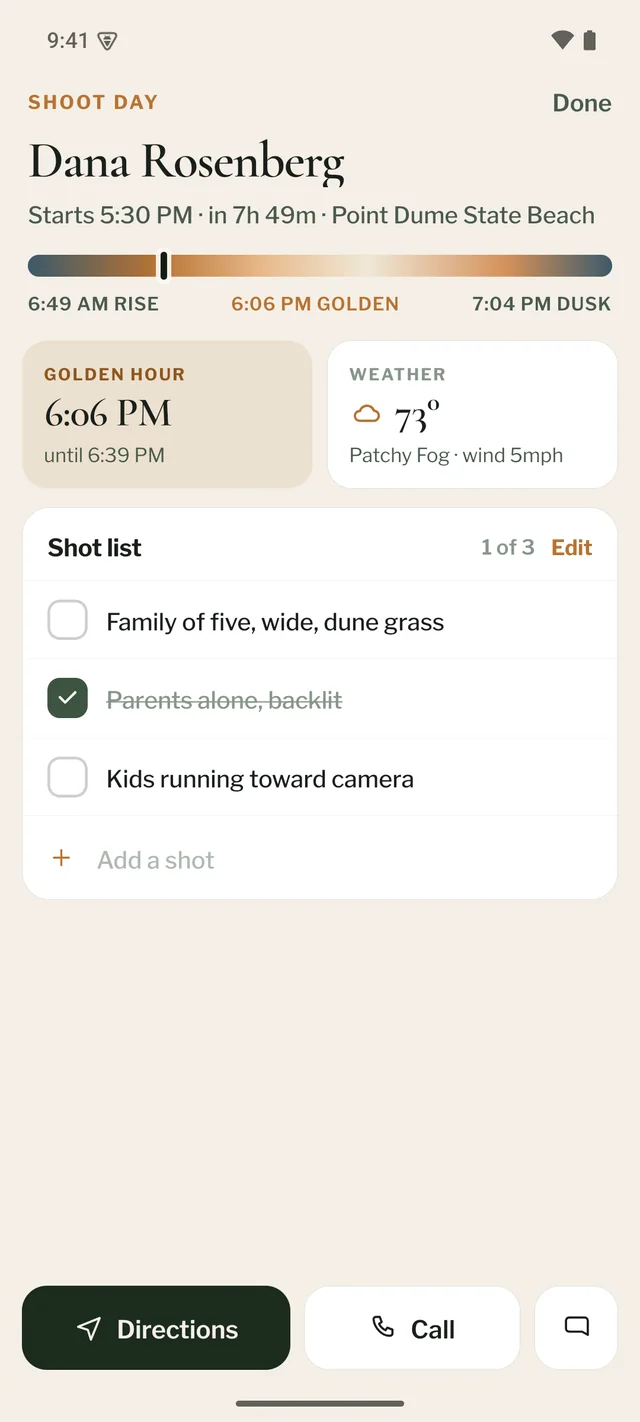
The Shoot Day screen keeps the weather, the light and your shot list together. The shot list saves with no signal.


The forecast, how sure it is and the backup spots sit on their session page. Nothing is sent to them.

업로드한 모든 것이 포함됩니다. 전체 촬영부터 완성된 갤러리까지.
ShotBreak을 통해 전달한 사진은 귀하의 소유로 남습니다.
설정 페이지에 숨겨진 옵트아웃이 없습니다. 나중에 켜지는 조항도 없습니다.
가격
모든 플랜에서 예약, 갤러리, 인보이스, 웹사이트를 관리할 수 있어요. 상위 플랜일수록 공간이 넓고 고객 결제 수수료가 낮아요.
첫 번째 유료 고객을 위해
전체 촬영 시즌을 위해
예약이 꽉 찬 캘린더를 위해
모든 플랜 포함
무료로 시작해요. 카드 없이도 가능하고 언제든 취소할 수 있어요.
모든 플랜을 항목별로 비교하기ShotBreak Studio(데스크톱 편집기)는 모든 플랜에서 무료예요.
iPhone과 Android용 ShotBreak 앱은 모든 요금제에 포함돼요.
질문
Weather briefings cover US shoots for now, because the forecasts come from the US National Weather Service. The rest of ShotBreak works anywhere, including golden hour on your booking calendar.
No. Nothing is sent to you or your client. The briefing updates at every check, and you see the latest one on the session in the app and on your phone.
Once your shoot is inside the seven-day forecast. Checks get more frequent as the day gets close, up to every hour on the last day.
No. It shows you the forecast, how sure it is, and a backup spot. Moving a session is always your call.
The forecast, how sure it is, and the backup spots with their scores, on their session page. Nothing is sent to them. They see it when they open the page.
It’s on by default when you create a session. You can switch it off for any session, like an indoor studio shoot.
플랜을 선택할 때까지 계정이 일시 중지됩니다. 자동으로 요금이 청구되지 않으며, 작업은 그대로 보관됩니다.
네. 설정에서 두 번 클릭하면 됩니다. 결제한 기간이 끝날 때까지 전체 접근 권한을 유지하고, 한 번 클릭으로 다시 시작할 수 있어요.