
Starter
当前暂无价格
适用于你的首批付费客户
—客户付款的 ShotBreak 手续费
- 每月 Smart Select 照片数
- —
- 相册存储空间
- —
- 归档RAW、TIFF 和 PSD 文件
- —
- 网站上的可预订服务
- —
- 手动添加的拍摄
- —
- 客户分 3 期支付预约ShotBreak Pay
- —
- 自有域名
- —
- 自定义 Enhance 风格
- —
- Enhance 打印尺寸
- —
Weather briefings · US shoots
ShotBreak checks each outdoor shoot’s forecast from a week out, and finds a spot nearby in case it turns.
无需信用卡即可开始,随时可取消。

工作原理
Checks start once your shoot is inside the seven-day forecast. Nothing is sent to you: the latest briefing is on the session whenever you open it.
Switch it off for an indoor shoot
Rain, how sure the forecast is, and whether it is getting better or worse. Plus the best window that day and what to pack.
Updated at every check
It looks for places near your location that could work instead, and scores each one for this shoot from what visitors say in Google reviews.
Swap the pick for any spot you prefer
See it working
The real ShotBreak opens right here, with a sample studio in it, and a voice walks you through it. No sign-up, nothing to install.
Where you see it
Your Today page shows each shoot’s rain chance, confidence and best window. Open the session for the full briefing.
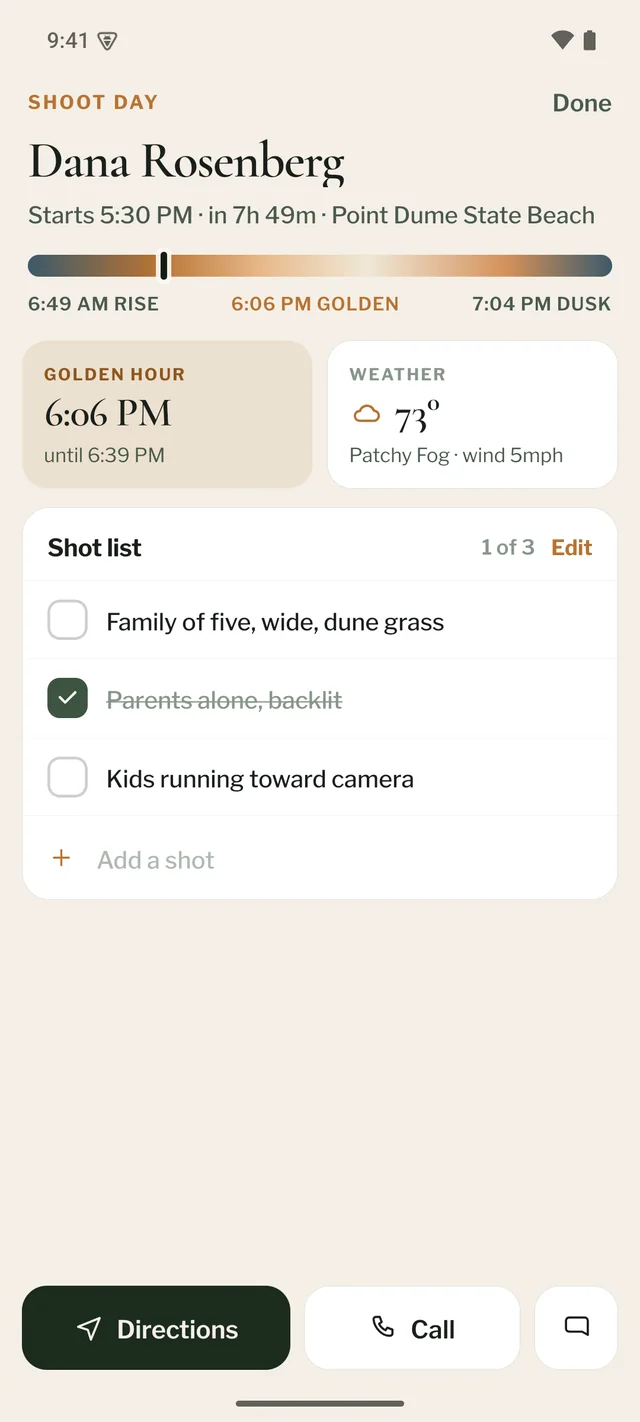
The Shoot Day screen keeps the weather, the light and your shot list together. The shot list saves with no signal.


The forecast, how sure it is and the backup spots sit on their session page. Nothing is sent to them.


您上传的所有内容都受保护,从完整拍摄到成品画廊。
您通过 ShotBreak 交付的照片仍归您所有。
没有隐藏在设置页的退出选项,也没有后续开启的条款。
价格
每个套餐都能管理你的预约、相册、账单和网站。套餐越高,空间越大,客户付款的手续费也越低。
适用于你的首批付费客户
适用于完整季节的拍摄
适合预约排满的日程
所有套餐都包含
免费开始。无需信用卡。随时可取消。
逐项比较所有套餐ShotBreak Studio 桌面编辑器在所有套餐中均免费。
适用于 iPhone 和 Android 的 ShotBreak 应用,所有套餐均包含。
常见问题
Weather briefings cover US shoots for now, because the forecasts come from the US National Weather Service. The rest of ShotBreak works anywhere, including golden hour on your booking calendar.
No. Nothing is sent to you or your client. The briefing updates at every check, and you see the latest one on the session in the app and on your phone.
Once your shoot is inside the seven-day forecast. Checks get more frequent as the day gets close, up to every hour on the last day.
No. It shows you the forecast, how sure it is, and a backup spot. Moving a session is always your call.
The forecast, how sure it is, and the backup spots with their scores, on their session page. Nothing is sent to them. They see it when they open the page.
It’s on by default when you create a session. You can switch it off for any session, like an indoor studio shoot.
您的账号会暂停,直至您选择套餐。不会自动扣费,您的作品会被保留。
可以。进入设置,点击两次即可。您将在已付费周期结束前保持完整访问权限,随后可一键恢复使用。